Cookie Consent and DPDPA: What Indian Websites Need to Get Right
Most Indian websites have a cookie banner. Almost none of them meet DPDPA standards. Here is exactly what needs to change.
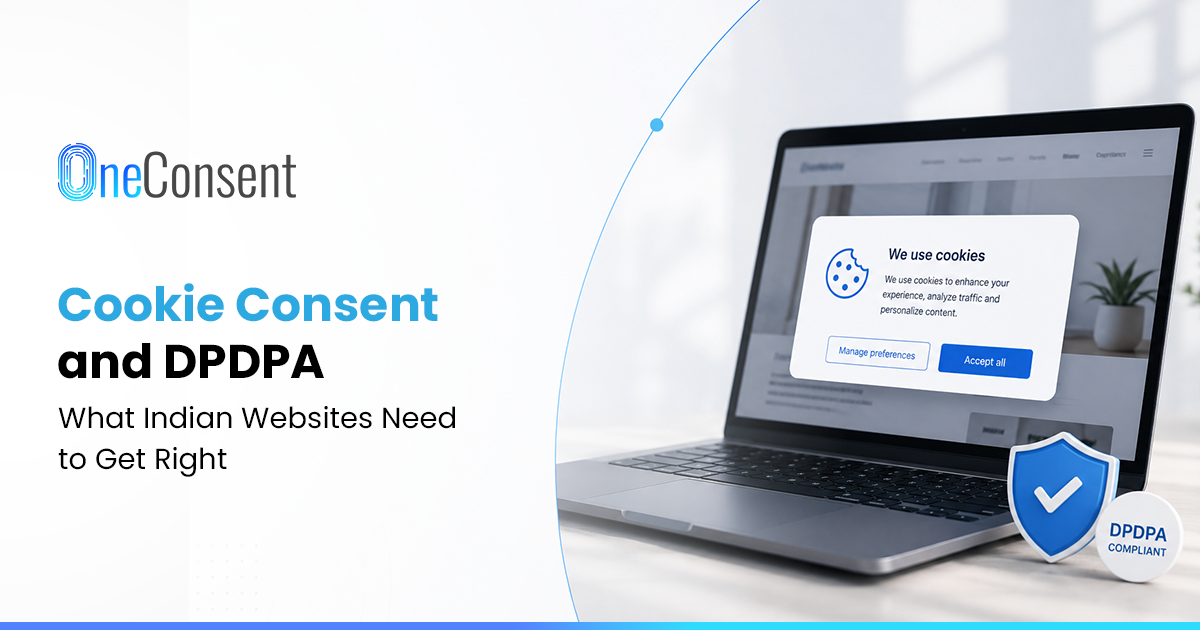
A common observation when landing on an Indian website for the first time: opening the network tab before clicking anything on the cookie banner reveals what fires first. On most sites, Google Analytics has already loaded and sent its first request before any choice has been made. The banner is still sitting there, asking visitors to accept or manage preferences, while the tracking it is supposedly gating has already happened.
That is usually where taking the banner at face value stops. Once the network tab becomes a regular check, the same handful of problems show up again and again, on sites that otherwise look perfectly professional.
The "Accept All" Button, and the Decline That Is Not Really There
Almost every banner has one button designed to be clicked. Bold, filled in with the brand colour, positioned exactly where a thumb or cursor lands first. "Accept All." Somewhere near it, sometimes below it, occasionally in a font two sizes smaller, there is a "Decline" or "Reject" option. Sometimes there is not one at all. Just "Accept" and "Manage Preferences," which quietly assumes visitors will either agree or go digging.
Under DPDPA, this is already a problem. Consent has to be free. That means the option to decline needs to be just as visible and just as easy to use as the option to accept. A banner that makes acceptance one click and refusal a small hunt is not offering a real choice. It is offering an illusion of one.
The design pattern is not accidental. These banners are optimised for what is called "dark patterns." The goal is to nudge visitors toward acceptance without making them feel forced. But under the law, that nudging is problematic. Consent that is not freely given is not valid consent. And a decline button that requires scrolling, searching, or clicking through multiple screens is not freely given.
Clicking "Manage Preferences" and Finding the Boxes Already Ticked
Clicking "Manage Preferences" often reveals analytics cookies already switched on. Sometimes advertising cookies too. Only the strictly necessary ones are locked, which is fair, but the rest have already been decided. Visitors have to actively go and switch each one off.
That is the opposite of what genuine opt-in means under DPDPA. Consent has to be an affirmative action the user takes, not a default state the user has to undo. A pre-ticked checkbox is not consent. It is a bet that most people will not bother scrolling through the preferences screen. On most sites, that bet pays off.
There is a reason this pattern is so common. Conversion rates matter. Visitor numbers matter. Tracking data matters. But none of that changes the legal requirement. Under DPDPA, the default must be no consent, not pre-ticked consent. Every non-essential cookie category requires a deliberate opt-in from the visitor.
Declining, and Then Watching the Tag Fire Anyway
Declining cookies, closing the banner, and then checking the network tab again often reveals that the analytics tag or the Meta Pixel fires regardless. Nothing on the backend was ever connected to what was clicked.
This reveals something important about how most Indian cookie banners were built. Someone designed a consent interface. Someone else configured Google Tag Manager completely separately. The two were never wired together. The banner became a piece of UI sitting on top of a tracking setup that never checked whether consent existed before firing.
Under DPDPA, cookies and tracking technologies that collect personal data, session identifiers, device information, IP addresses, browsing behaviour, are subject to the same consent standard as any other personal data collection. A banner that displays consent without enforcing it is not compliance. It is decoration.
The technical fix here is not complicated. Tag Manager containers need to be configured to wait for consent signals before firing. The consent platform needs to communicate with the tag management system in real time. Without that connection, the banner is just a pretty overlay with no actual effect on data collection.
Trying to Find the Way Back, and Not Finding One
The last thing to check is whether visitors can change their mind later. Accepting cookies on the first visit and wanting to withdraw that consent a month afterward often reveals no obvious path. No settings icon in the footer. No link back to the preferences screen. Nothing. The only option is to clear browser cookies entirely and hope the banner reappears.
DPDPA requires withdrawal to be as easy as the original grant. If accepting took one click and withdrawing takes clearing browser history, that is not a functioning withdrawal mechanism. It is an obstacle dressed up as one.
A proper consent infrastructure includes a persistent preference centre. Visitors should be able to return at any time, view their current settings, and make changes. The preference centre should be accessible from every page. Not buried in a footer menu. Not hidden behind a login wall. Accessible, visible, and easy to use.
What This Means for Third-Party Sharing
Many banners also quietly wave through data going to Google Analytics, Meta's advertising pixel, and various other third parties, without ever naming them. Under DPDPA, sending personal data to a third party through a tracking pixel requires the same disclosure and consent as any other data sharing arrangement.
Running a Facebook Pixel or a Google Ads tag without specific, disclosed consent for what that pixel actually does is its own separate violation, sitting quietly underneath a banner that looks fine on the surface.
The disclosure requirement is not optional. Visitors have a right to know exactly who is receiving their data and for what purpose. A vague reference to "third-party partners" does not satisfy the legal requirement. The notice must be specific enough for a reasonable person to understand what they are agreeing to.
Fixing This Properly
None of this gets fixed by redesigning the banner's colours. It gets fixed by treating cookie consent as infrastructure rather than a UI layer.
That means running an actual cookie audit to know what is firing and why. Categorising cookies honestly instead of lumping everything under "necessary." Wiring the tag manager so tracking tags only fire once relevant consent is recorded, not before. Building a preference centre that stays accessible. Maintaining records of every consent event for audit purposes. And testing the entire flow regularly to make sure it still works after every site update.
Where Cookie Compliance Actually Gets Tricky
The operational challenge is not just building the banner once. It is maintaining it. Websites change constantly. New tags get added. Old tags get reconfigured. Marketing teams push new tracking codes without telling anyone. Each of these changes can break the consent enforcement chain without anyone noticing.
That is why ongoing monitoring matters. A cookie consent setup that works today may break tomorrow. Regular scans, automated testing, and clear change management processes help catch issues before they become compliance problems.
What Your Cookie Banner Is Really Saying
Cookie consent is one of the few parts of DPDPA compliance that anyone can check, including a regulator with a browser and five free minutes, without needing internal access to a company's systems. That is exactly what makes it worth getting right.
Opening a site's own network tab before anyone else's reveals what is probably closer to the truth than what the banner claims. The gap between what the banner says and what actually happens is where the real compliance risk lives.
A compliant cookie setup needs to connect the consent banner with the technology that actually controls data collection. Organisations need a way to capture granular preferences, prevent non-essential tags from firing without consent, support easy withdrawal, and maintain reliable consent records. OneConsent provides a DPDPA-focused consent management framework designed to help businesses manage these requirements across their digital properties.
Frequently Asked Questions
Have more questions?
Search our full DPDP knowledge base for more answers.