Data Minimisation Under the DPDP Act: A Practical Guide for Businesses
Learn how data minimisation under the DPDP Act works, what businesses must collect, retain and delete, and how DPDP compliance solutions can support implementation.
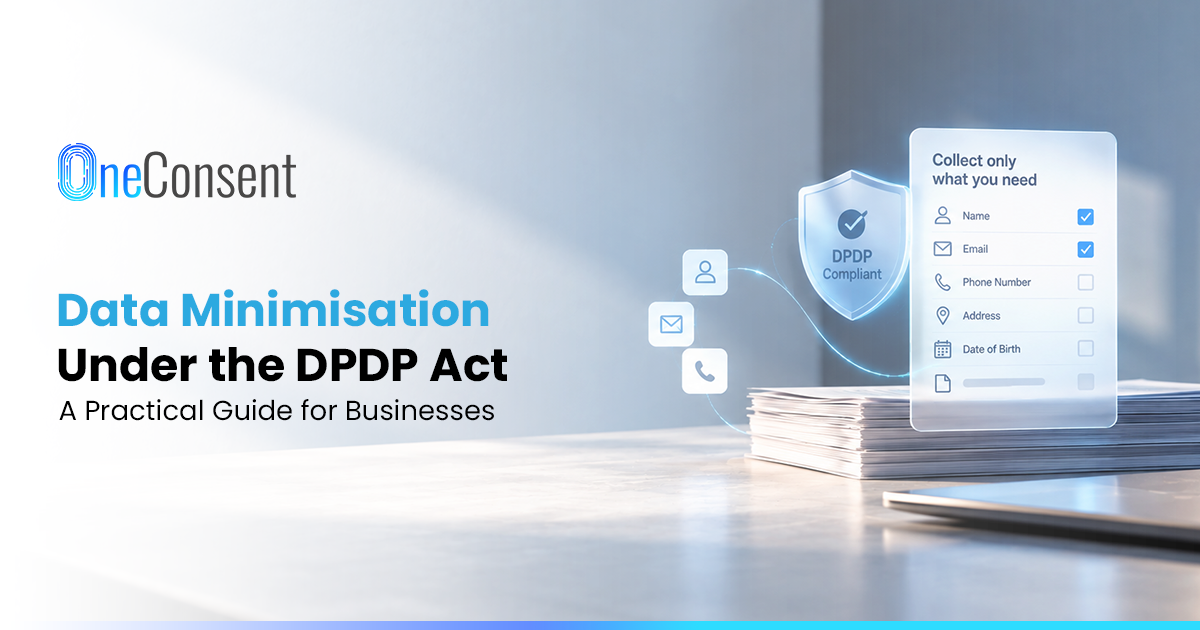
At a retail billing counter, the cashier asks for a mobile number so the purchase earns loyalty points. A week later the app sends an OTP to that number during sign up. By the next festive sale it is on a WhatsApp campaign list. By then, copies are spread across teams. The CRM holds one and the CDP another. An agency's campaign file may hold a third. Under the DPDP Act, each use of that number should connect to a purpose the business has stated. Data minimisation under the DPDP Act therefore starts with knowing where the copies are. Mapping two or three high use fields, such as mobile number and date of birth, is a sensible first step.
Notice, consent and retention duties under the DPDP Rules, 2025 apply from 13 May 2027, with several other operational duties. Consent Manager registration under Rule 4 opens earlier, on 13 November 2026. A review of a few high traffic forms each month gets most enterprises through their collection points with time to fix what they find.
For business leaders: ask for one line of paperwork before any new personal data field goes live, stating its purpose and processing ground. The same record should name an owner and a retention approach. With this in one register, the business has a ready answer when an auditor or regulator asks why a field exists.
What Is Data Minimisation Under the DPDP Act?
Data minimisation under the DPDP Act means collecting and using only the personal data your specified purpose needs, plus anything another law obliges you to collect.
In day to day terms, someone should own the decision behind each form field. The Government named data minimisation among seven guiding principles when it notified the DPDP Rules in November 2025. Purpose limitation and storage limitation appear on the same list. The Act does not require a field level register. Many enterprises keep one regardless. A register shows who made each necessity decision, and on what basis.
What the DPDP Framework Expects Businesses to Do
Form owners carry most of this work, starting with knowing why each field exists. Data from the form goes only to purposes the customer has seen in the notice. Before launch, marketing or product should name the process behind each field. At that stage, removing an unexplained field costs little.
Consent comes with a boundary set by the notice. A business relying on consent tells the customer, through the notice, which data it wants and what it will do with it. Consent covers only what that purpose needs. Bundling an unrelated request onto the same screen does not move that boundary. The Act's own example is a telemedicine app that also asks to read the phone's contact list; the user's consent reaches the consultation data and stops there. Product teams should keep optional requests separate.
A retail loyalty form shows how the necessity test works in practice. The programme needs a mobile number to identify the member and run the points account. Communication preferences may have a separate stated reason. A date of birth needs its own justification, such as a birthday offer the customer has been told about. Without that kind of reason, the loyalty team should remove the field. A birthday offer, if marketing runs one, is a separate purpose.
There is no fixed number of fields a business may collect under the DPDP framework. A reviewer looks for a purpose, or a legal duty, behind each one. Answers change by journey. Insurers price many policies on age, so a quote form has a defensible reason to ask for date of birth. Bank onboarding forms carry identity and address fields because KYC rules demand them. Writing "KYC requirement" next to those fields in the register saves the next reviewer from questioning them again.
Put together, these checks give teams a working routine for any journey. Start from a written purpose and collect against it. Follow the data to each system it reaches. Decide in advance when each copy is deleted. Lending and insurance journeys add sector rules on top. Legal counsel or a DPDP compliance consultant adds most value at that layer.
Following Each Field After Collection
Downstream use is where many reviews of data minimisation under the DPDP Act fall short. Each team sees only its own system. Take a company size dropdown on a website form. Marketing adds it to qualify leads. Sales operations maps it into the CRM. By the following quarter, a campaign manager filters on it. The filtered list then goes to an agency as a spreadsheet. A different team approves each step. Reviewing the full path from form to agency once, with each system owner present, shows the uses nobody approved as a whole.
Later uses need a check against the original purpose and processing ground. Mobile numbers collected to deliver an order may later feed customer analytics, lead scoring or an agency audience. Before a new use becomes routine, the privacy team should compare it with the original notice. If consent is the ground and the notice never mentioned that use, the business has to issue a fresh notice and consent request.
Agencies and analytics vendors acting as Data Processors keep their own copies. Responsibility for those copies stays with the business that shared them. Procurement holds the practical control here. The contract lists the fields a vendor receives, and the offboarding checklist sets out when the vendor deletes them.
Testing Each Field for Necessity
The output leadership wants from a field review is a short list of fields to stop collecting, with a reason written beside each one. Five questions cover most decisions:
Does the stated purpose need it?
Could a coarser value work? An age band often serves segmentation as well as a full date of birth does.
Which systems receive it after collection?
Has the field picked up a second job somewhere downstream?
Does any law or regulator require the business to collect it?
Each function gets a different answer from the same review. Marketing leaders see which lead fields drive qualification and segmentation, and can defend the ones that matter. CTOs and CIOs see where each field propagates. Old values often outlive the form field that created them. IT should confirm that deleting a field clears its CRM and warehouse copies. Legal and privacy teams read each stated purpose against the notice wording the customer saw. Those fixes land before any complaint does.
The Purpose to Field Register
A purpose to field register is simple in form: one line per field. Each line records the field's purpose and processing ground, plus its owner and retention rule. Required or optional status goes on the line too. Marketing uses it for form design. IT checks it before connecting a new system, and legal uses it to match notices to what the business collects. Over time, the register can support DPDP audit readiness by showing who approved each field and why.
Sample structure for a demo request form:
Business email: demo scheduling and follow up. Required. Ground: [applicable ground]. Owner: marketing. Retention: per your retention policy.
Mobile number: a sales call before the demo. Optional, owned by sales, with [applicable ground] recorded. Same retention rule.
Job title: lead qualification. Optional. Sales owns it; note the ground and retention rule on the line.
Date of birth: no identified purpose. Remove. Owner: marketing deletes the field and the stored values.
Entries will differ by purpose and sector. Teams should add a line before any new field launches. Naming one custodian, often in privacy or marketing operations, keeps the register current between reviews.
Where Business Teams Should Look First
Most enterprises can start with the eight collection points below. Each has a natural owner who can explain why its fields exist:
Website forms: owned by marketing. Check lead and qualification fields.
Mobile apps: product teams own registration and profile fields.
POS and loyalty enrolment: retail and marketing share these. Look at enrolment and preference data.
CRM: sales or revenue operations. Custom fields and enrichment tend to grow here.
Marketing automation: managed by marketing operations in most teams. Each segmentation attribute needs a recorded purpose.
WhatsApp and SMS: marketing. Match the number to its purposes and the preference record.
Customer support: the CX team. Service agents may record details in tickets and call notes that no business process requires.
Data warehouse or CDP: maintained by IT and data teams, who should include downstream copies and derived attributes in the review.
Phone numbers need particular care. One number can receive OTPs and delivery updates as well as promotional offers, each resting on a different ground. Recording each purpose on its own register line keeps those grounds separate. A promotional opt out should then reach the campaign tool and the SMS gateway, plus the WhatsApp provider. Transactional and service messages carry on under their own ground and preference settings.
When the Purpose Ends
Withdrawal of consent, or the end of a stated purpose, should prompt the business to identify data for erasure. A legal retention requirement can override that step. Deletion should reach every copy, including those held by processors. A register that lists the receiving systems against each field makes that traceable.
Retention decisions belong in the same register. With the purpose documented, the business can note how long to keep each field and what happens at the end, such as deletion from the CRM and connected tools.
A few DPDP retention rules apply only to certain businesses. E-commerce entities and social media intermediaries with at least two crore registered users in India face a three year erasure rule. Online gaming intermediaries with at least fifty lakh face the same rule. Erasure applies when the user has neither initiated contact for the specified purpose nor exercised their rights in that period, with 48 hours' notice first. Running the other way, the Rules oblige businesses to keep specified personal data and related logs for at least one year for the purposes listed in the Seventh Schedule. Outside these cases there is no default period. Each business sets retention purpose by purpose, and the register is the natural place to record it.
Related Reading: Data Retention Policies Under DPDPA: How Long Can You Hold Personal Data?
Carrying Approved Purposes Across Systems
Deciding what is necessary stays with the business and its legal advisers. Keeping those decisions intact is harder once a purpose appears on a website banner, an app screen and a POS tablet, each feeding the same CRM. Spreadsheets and email handoffs tend to break at that point. Consent management platforms and other DPDP compliance software carry consent and preference changes across those collection points to the systems behind them.
OneConsent captures consent purpose by purpose against versioned notices. Consent and preference changes then pass to connected CRM and marketing systems. Teams evaluating a DPDP compliance platform can test this early. Record a withdrawal in one channel and time how long the CRM, the email tool and the WhatsApp provider take to reflect it.
Start With Your Highest Volume Collection Points
Bought or built, every DPDP compliance solution depends on a plain record of what each field is for, who owns it and how long it should stay in the business's systems. Begin with the busiest forms. For each field, write down the purpose and ground, then the owner and retention rule. After that, check how a consent change travels to the CRM and campaign tools. Teams using external DPDP consulting services can share the register, giving advisers and internal owners one document to work from. The OneConsent DPDP compliance guide covers the wider obligations. Teams that want to see these controls in their own environment can book a personalised demo with our specialists.
Frequently Asked Questions
Have more questions?
Search our full DPDP knowledge base for more answers.